Showing posts with label tips. Show all posts

Monday, May 18, 2015

Bad Blood

Social media has recently blown up about Taylor Swift and it is 110% warranted. Have you checked out her new video? While the song Bad Blood was on her newest album, the music video has just came out and oh boy did Taylor Swift throw everyone for a loop. The video starts out simple enough with her and Selena Gomez but what caught my eye was that the video was produced by Swift herself. I love when artists actually produce or write their own songs/ music videos, that takes true talent! But essentially there are four major things that need to be addressed about this video.

    
1. Kendrick Lamar
I am well aware that Taylor Swift has been discussing how she wants to change the sound of her music and all but she really took me for a spin when all of a sudden Kendrick Lamar began rapping! It works so well though…
     
2. Celebrities
Talk about celebrities on celebrities, everyone from Selena Gomez and Zendaya, to Jessica Alba and Haley Williams all in one music video?
     
3. I still want to be Cara Delevinge
Totally self-explanatory why I want to be that bad ass
   
4. Taylor Swift would look hot with red hair
I personally think that Taylor Swift could rock any hairstyle but OMG she would look so amazing with red hair, I am totally all for it!

So there ya have it everyone! Be sure to watch the video its pretty amazing!


Wednesday, December 3, 2014

Favorite Apps of the Week

Whitagram: whitagram is an app that allows you to add a background to your pictures. Typically I would suggest a white color but it gives you other color
options as well. The app gives you the option to edit your photos as well. You can enhance them in anyway, and add any brightness. The app makes your photos seem professionally done. It makes things look simple and pretty! I would totally suggest it for any social media apps and your blog as well!


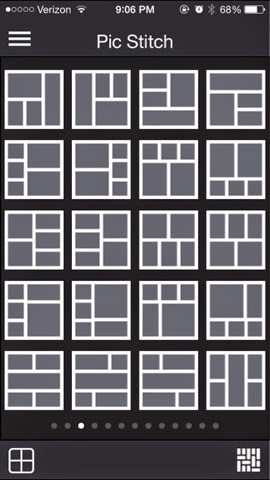
Picstitch: picstitch is an easy and simple way to put all of your pictures into a collage. You can place two pictures for a simple look it up to about 6 for free! The app simply takes the pictures you tell it to take and puts them into the collage. It's that simple, from there you can easily change the
colors, edit, or enhance the picture in anyway you desire!


Sunday, November 30, 2014

Microsoft One Note App


I have already discussed Microsoft One Note but something else I want to discuss is the Microsoft One Note app for the Iphone. If you thought Microsoft One Note was great you should take a look at this app because it is even better. Yes, it is the same exact thing but it is on your phone! You can use it on the go and anywhere you need it. I have countless times put recipes on this app and then while at the store looked at them on my phone all on the app. The app and the computer are all synchronized therefore, anything you write on the phone goes directly on the computer and vice versa. This means seamless tasking. With the various to do lists I have by having a synchronized phone and computer I am able to do accomplish so much more. Multi tasking is a breeze.

Wednesday, November 19, 2014

Favorite Apps of the Week..

My favorite apps currently

I am a fanatic when it comes to how my apps look on the front page of my Iphone. I change it up about every month sometimes more than once. Currently my apps are all in color order. It makes things a little more difficult to find but it is definitely prettier. Now two of the apps I am currently obsessed with are

TimeHop


Timehop is an app that brings you to the past. It gets the archives from your facebook and twitter pages from years ago and allows you to see the statuses and pictures you put up on this day last year. Sometimes it can be comical sometimes it is just downright embarrassing

Dropbox

Dropbox has been another must have app lately because it allows to me to access the files I have stored on my computer on my Iphone as well. With the launch of the new Microsoft word app I have been able to do homework while I’m sitting around bored, or begin a blog post while in the car (with someone else driving of course). It just makes life that much more convenient.